🤑 Looking Up Store Ranks On Tebex
When players come back after an extended period of time, there is a chance that the ranktransfer system in-game will not have their rank for them. In this case, an admin needs to lookup in Tebex to find purchase history for the donor rank.
- Head over to the Tebex Dashboard
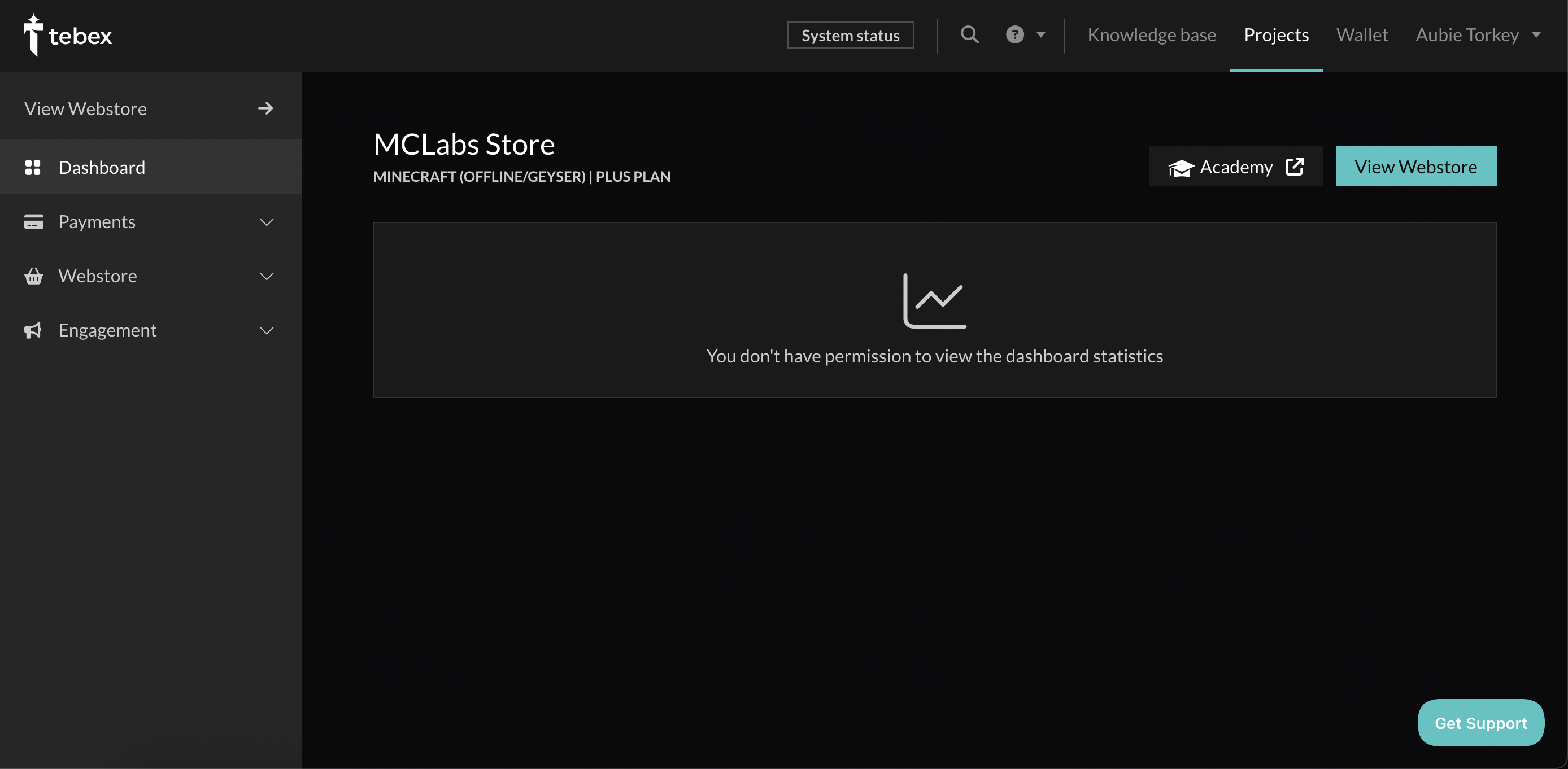
- Navigate to the "Payments" tab
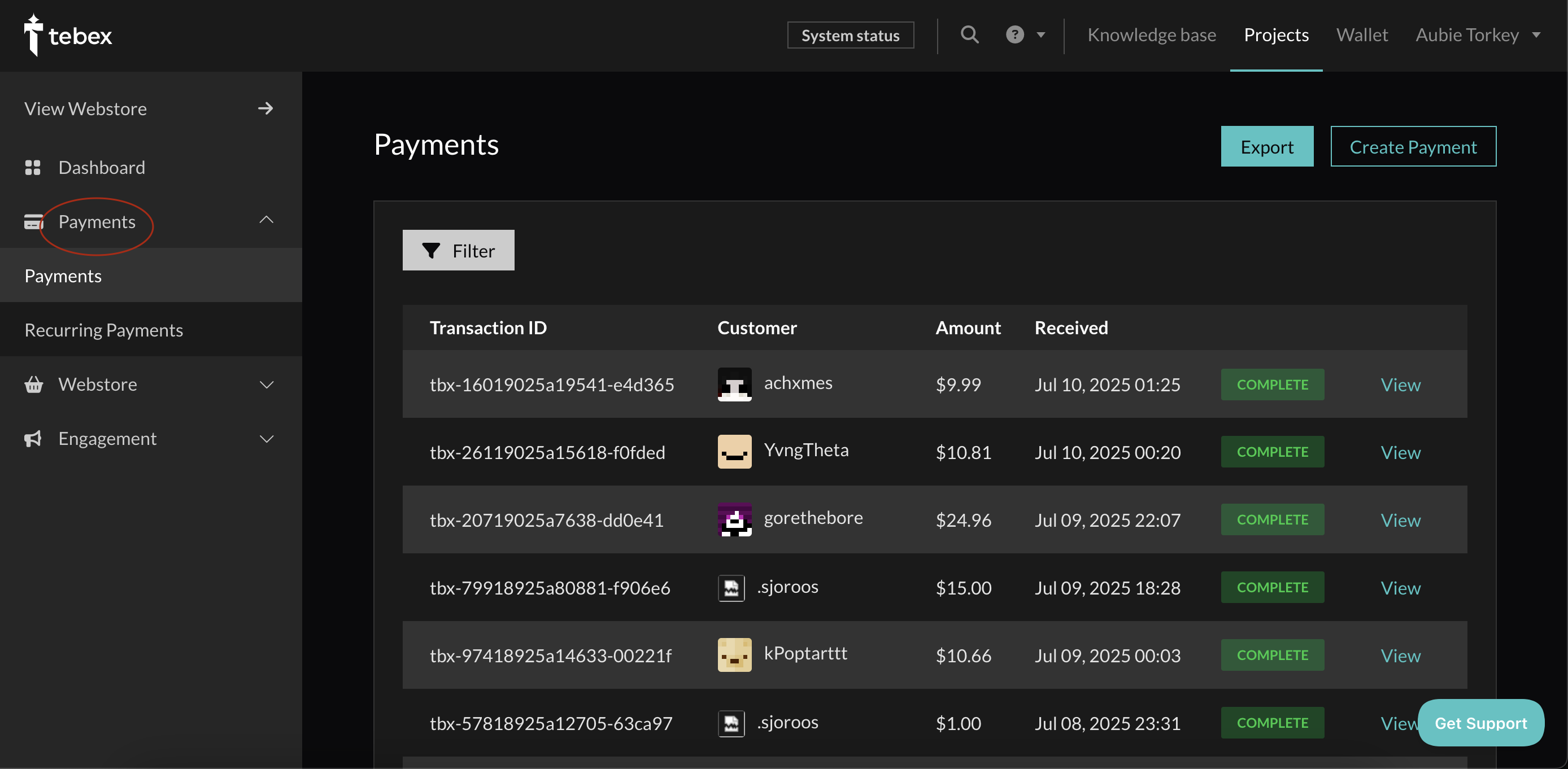
- Click on "Filter"
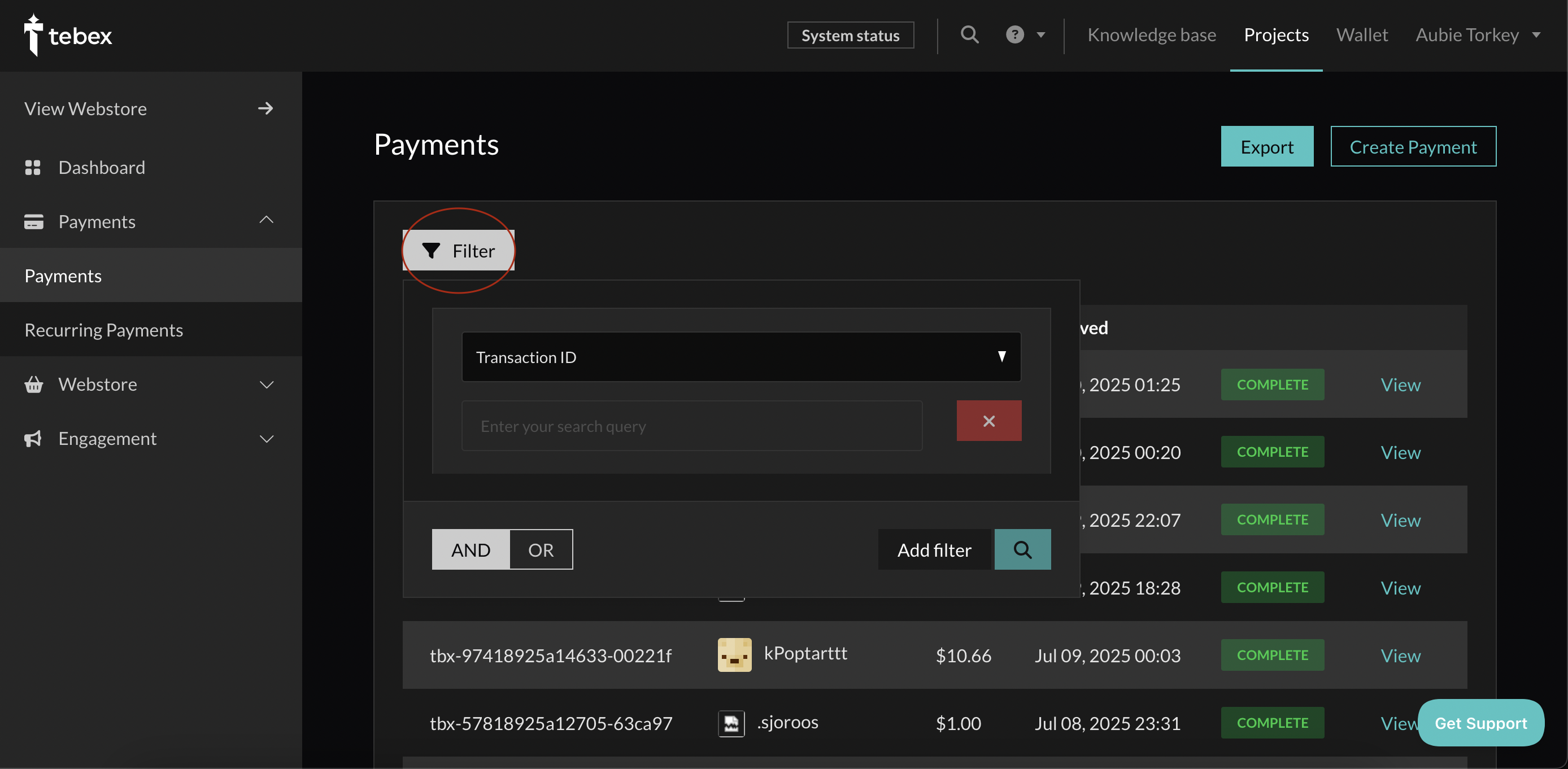
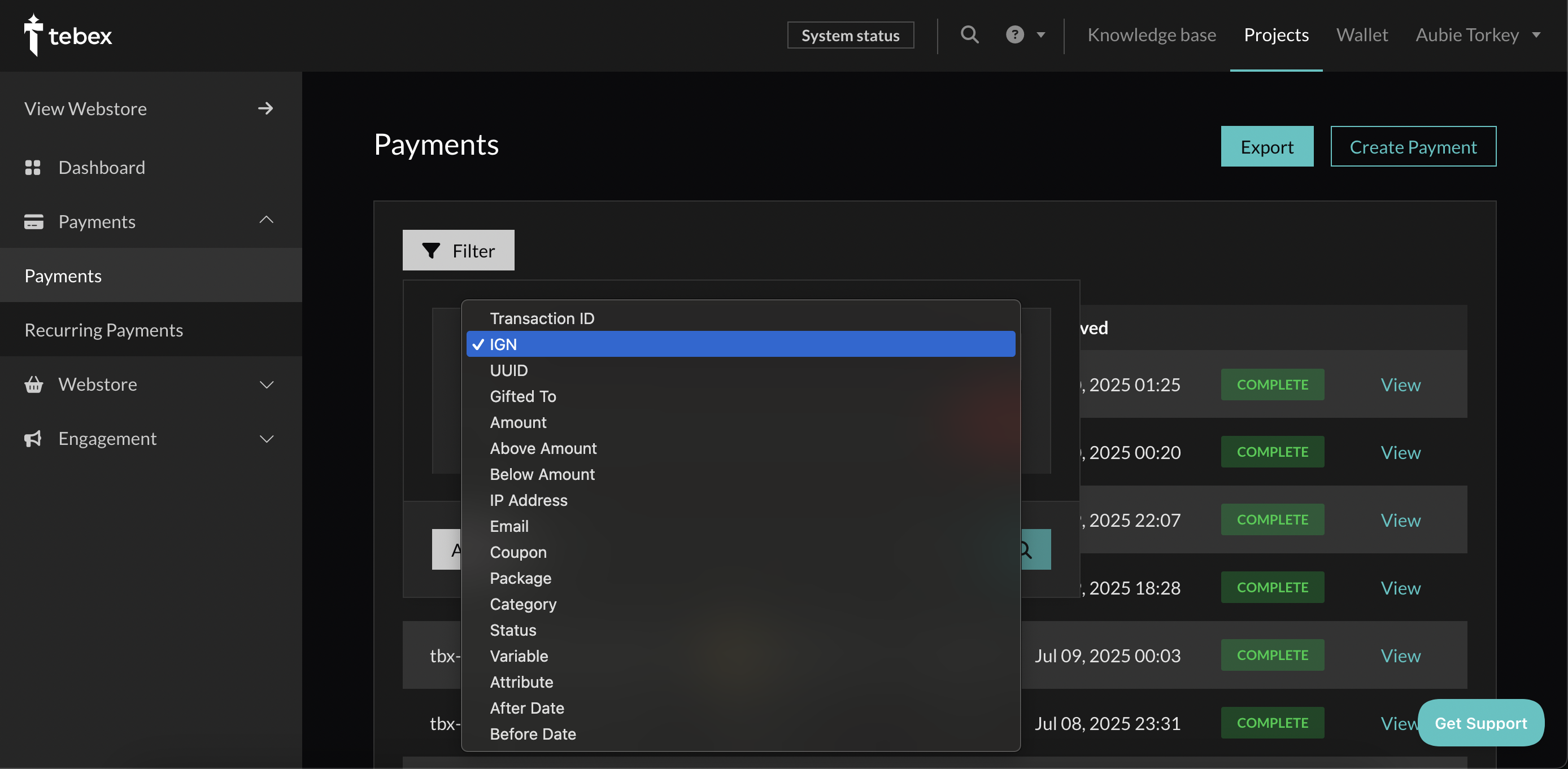
- Select "IGN" from the dropdown menu
- Enter the player's IGN and click the search button
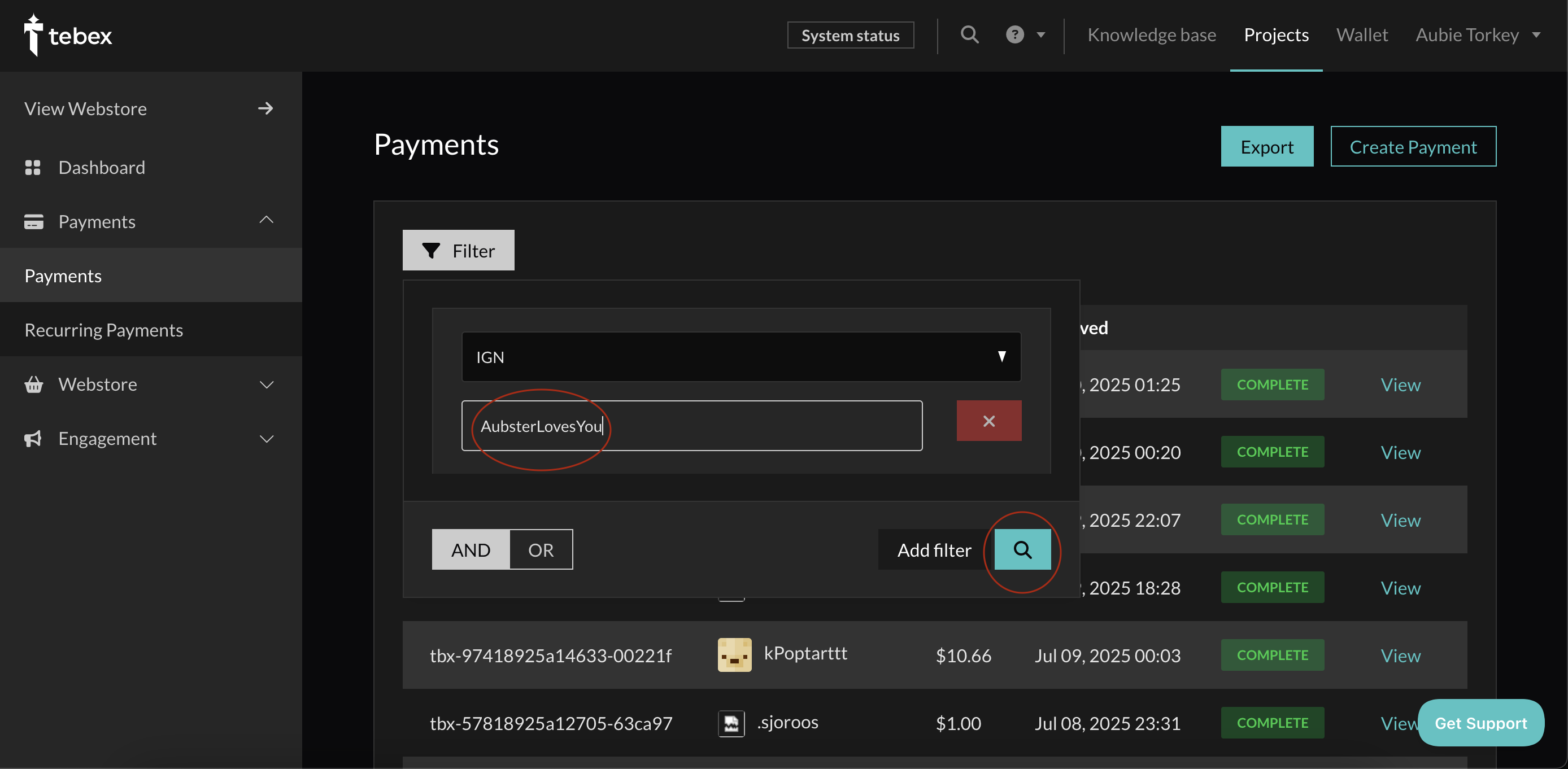
From there, look through any resulting purchases for a donor rank. If you fail to find a purchase for the player, you may need to go back to step 4 and search via a different parameter, such as:
- Previous names (check NameMC)
- UUID (obtain this in-game with
/uuidor from NameMC) - Transaction ID (if the user has it)
- Email (if the user remembers)
Sometimes, it may be easier to request that a user check their own emails for a receipt of payment at the time of purchase. While the user may have more work to do, it can sometimes be faster, especially if none of the above methods show everything.